Profile & Settings
Manage your personal details, public profile, password, and account from the Profile page. Open it from Account Settings on your Dashboard, or go to your profile from the account menu.
The Profile page has three tabs: Profile, Change Password, and Account.
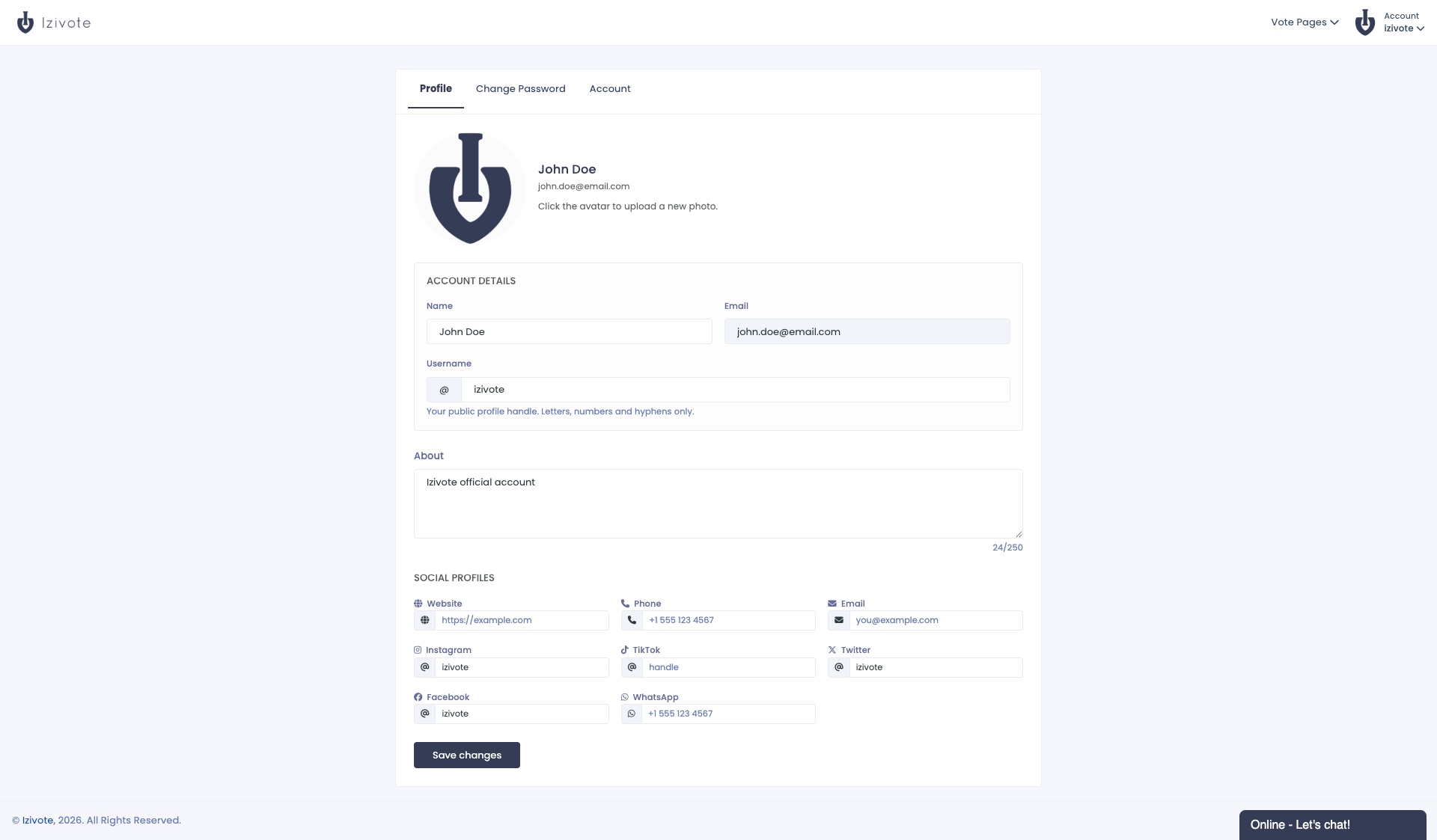
Profile tab
Image
Click your image or Change image, or drop an image onto that area. It is resized and saved straight away, and a Saved note confirms it.
Account details
- Name - your name or organization name (required).
- Email - shown here but not editable.
- Username - your public handle, prefixed with
@. Use 3-25 characters: letters, numbers, and hyphens, starting with a letter. - About - up to 250 characters describing you or your organization, which can appear on your public profile.
Social profiles
Add links that can appear on your public profile: Website, Phone, Email, Instagram, TikTok, Twitter, Facebook, and WhatsApp. Website links are saved as full https:// URLs; the social handles are entered without the @.
Click Save changes when done.
Change Password tab
- Enter your current password.
- Enter and confirm your new password (at least 6 characters).
- Click Change password.
Don’t remember your current password? Click Email me a reset link and Izivote sends a reset link to your account email.
If you signed up with Google, you may not have set a password yet. Use Email me a reset link to create one.
Account tab
- Subscription - shows your current plan with a Manage subscription or Upgrade account button. See Subscriptions & Plans.
- Payout information - a shortcut to the Payments page for paid voting. See Paid Voting & Payments.
- Close account - permanently delete your account and all your vote pages (see below).
Closing your account
On the Account tab, click Close account. You will be asked to:
- Optionally tell us why you are leaving.
- Enter your password to confirm.
Then click Close Account.
Closing your account permanently deletes all your vote pages, categories, nominees, and votes, and frees up your username for someone else. This cannot be undone. If you just want to pause a vote, close voting on the page instead of closing your account.